

Free Download.
Time is what we want most, but what we use worst.
- William Penn
On this page we dive straight into the many small features. Just scroll down slowly to discover what makes this calendar different.
The Weekly View
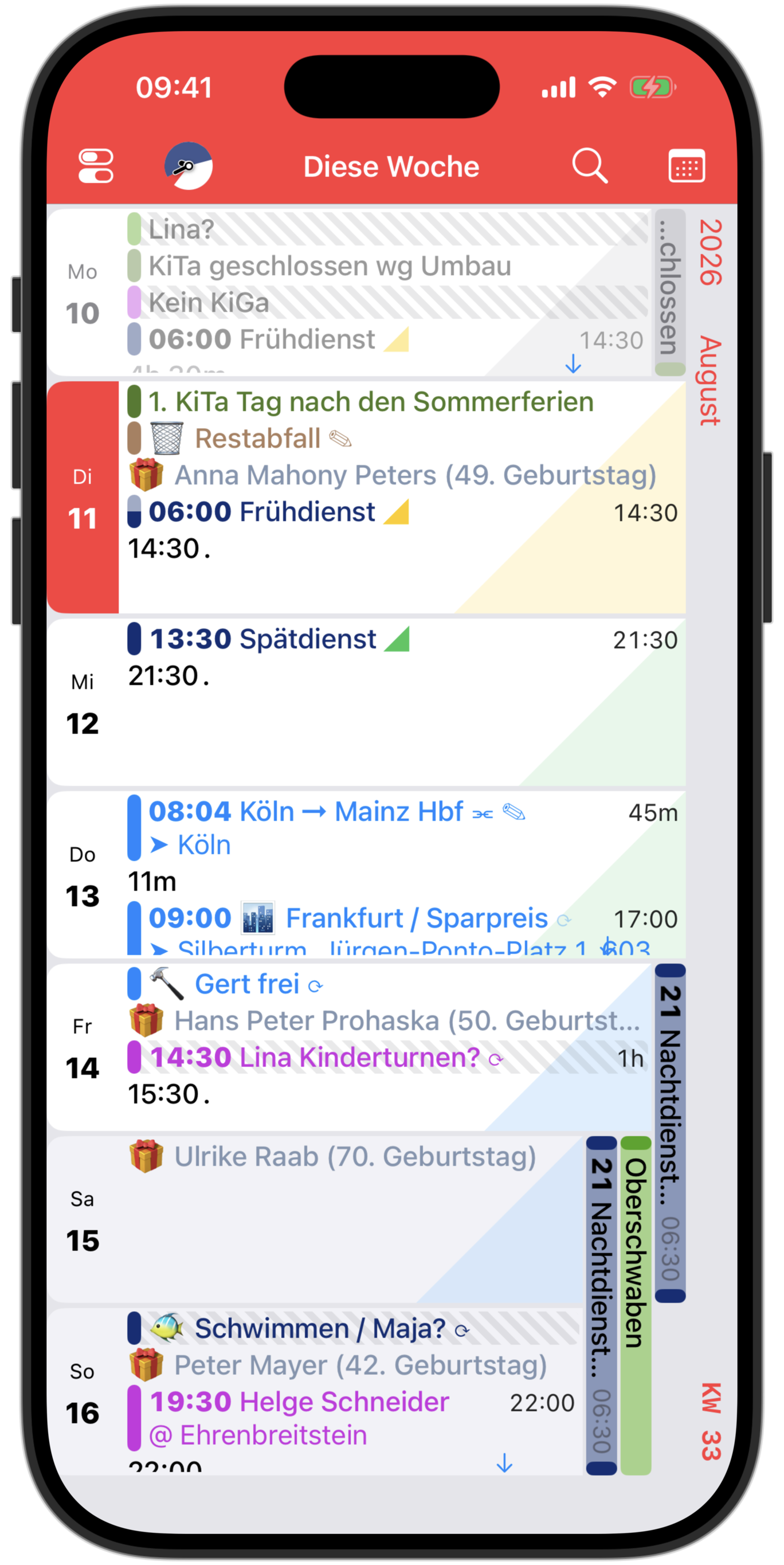
The 2-Column Weekly View
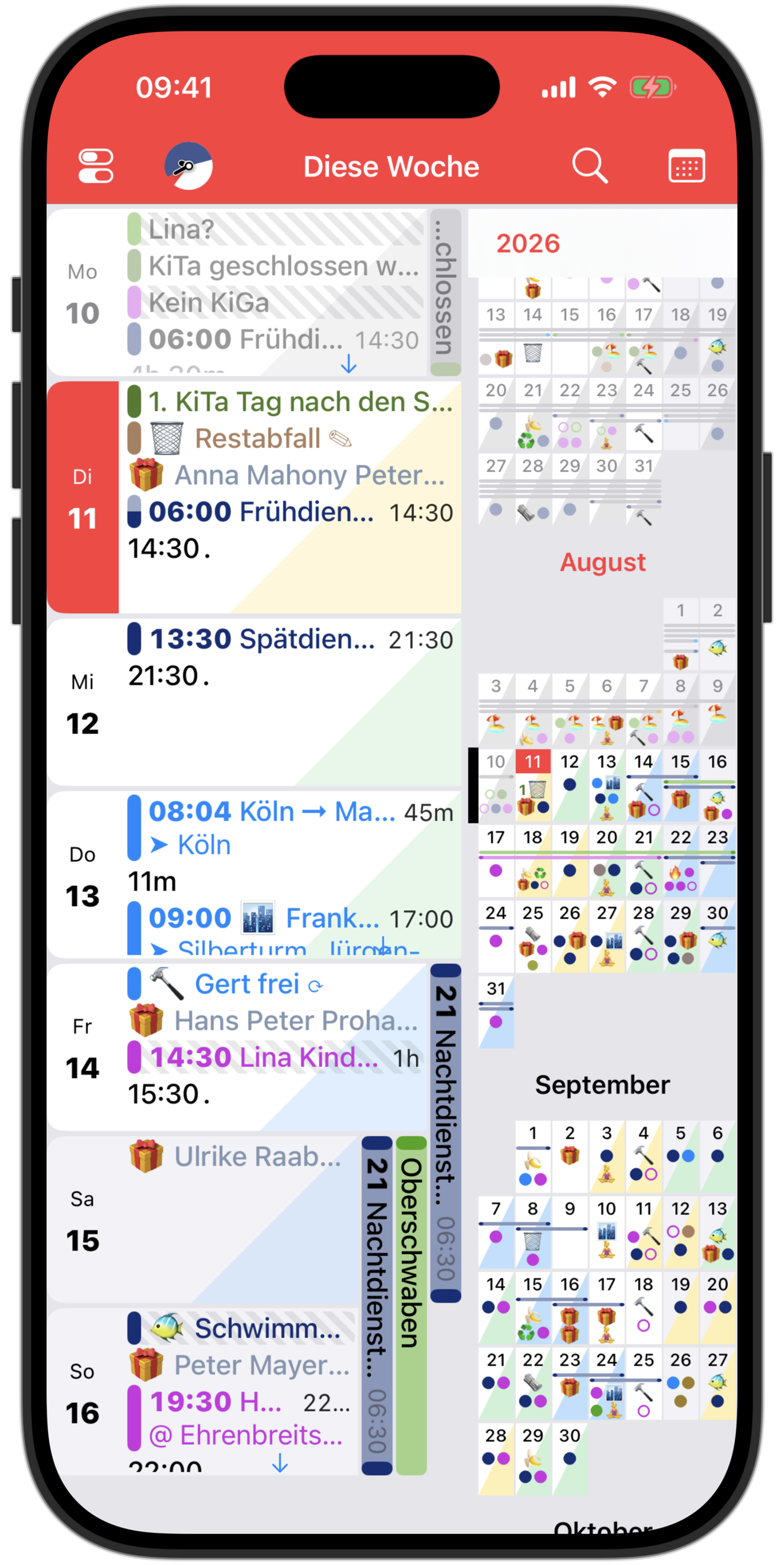
The yearly view can be swiped in from the right edge of the screen. The same design language as always, but in mini form. Swiping left again opens the yearly view in full-screen mode.
Widgets
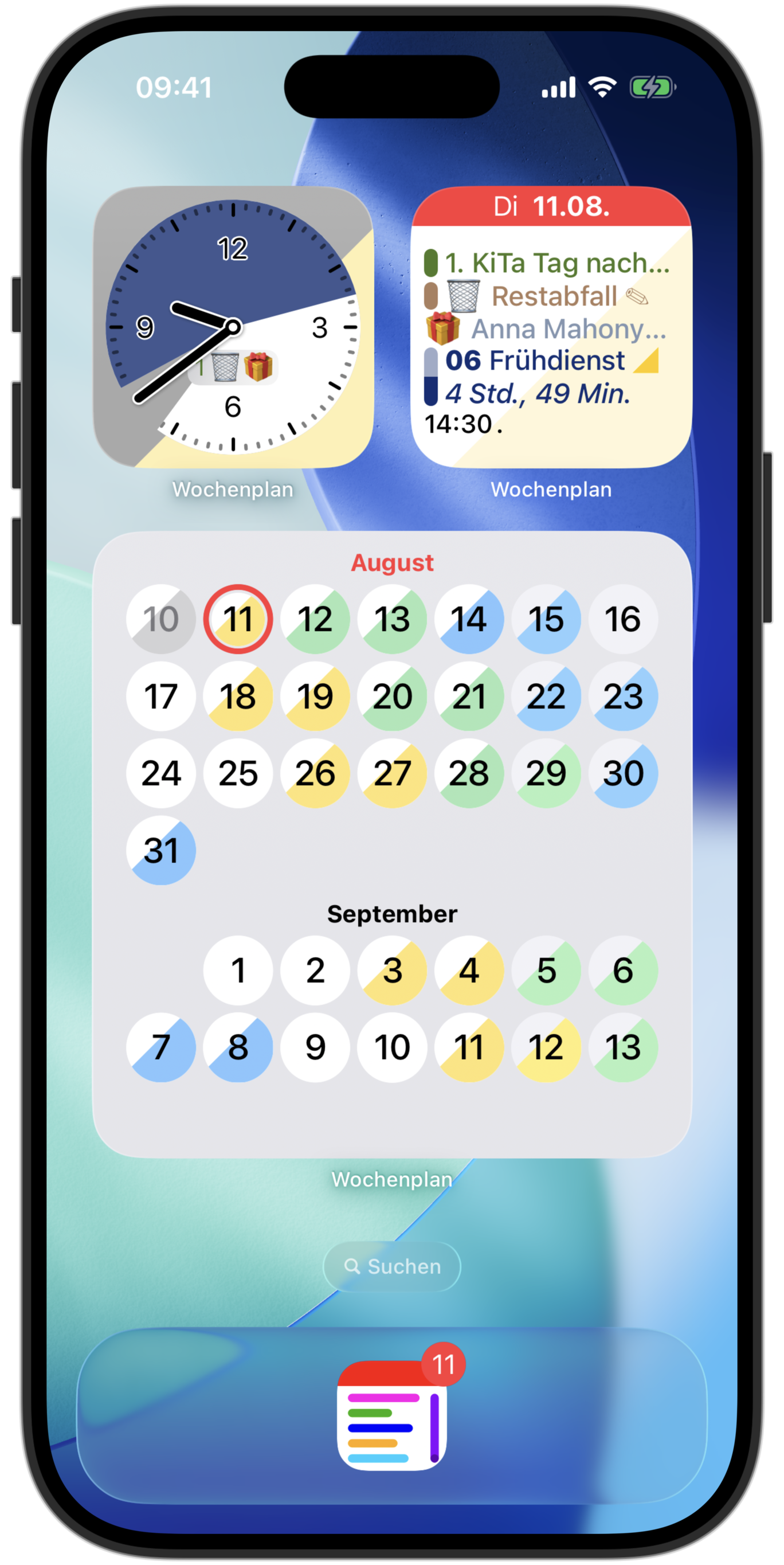
Anyone who has read all the previous descriptions should have no trouble interpreting the following widgets.
Disclaimer
- The app does not send reminders. This continues to be handled by the iOS Calendar app, as it does this best for iOS-managed calendars.
- The recurrence settings of events and reminders cannot (yet) be edited in Weekplan Calendar. This can alternatively be done in the iOS Calendar app.
- The current hour, day, week, month, etc. is always displayed in red. This is not configurable.
- This app is addictive. 😉
Try it now.